Read a timeline and export a waterfall
Find whether time was spent before, during, or after an observed request.
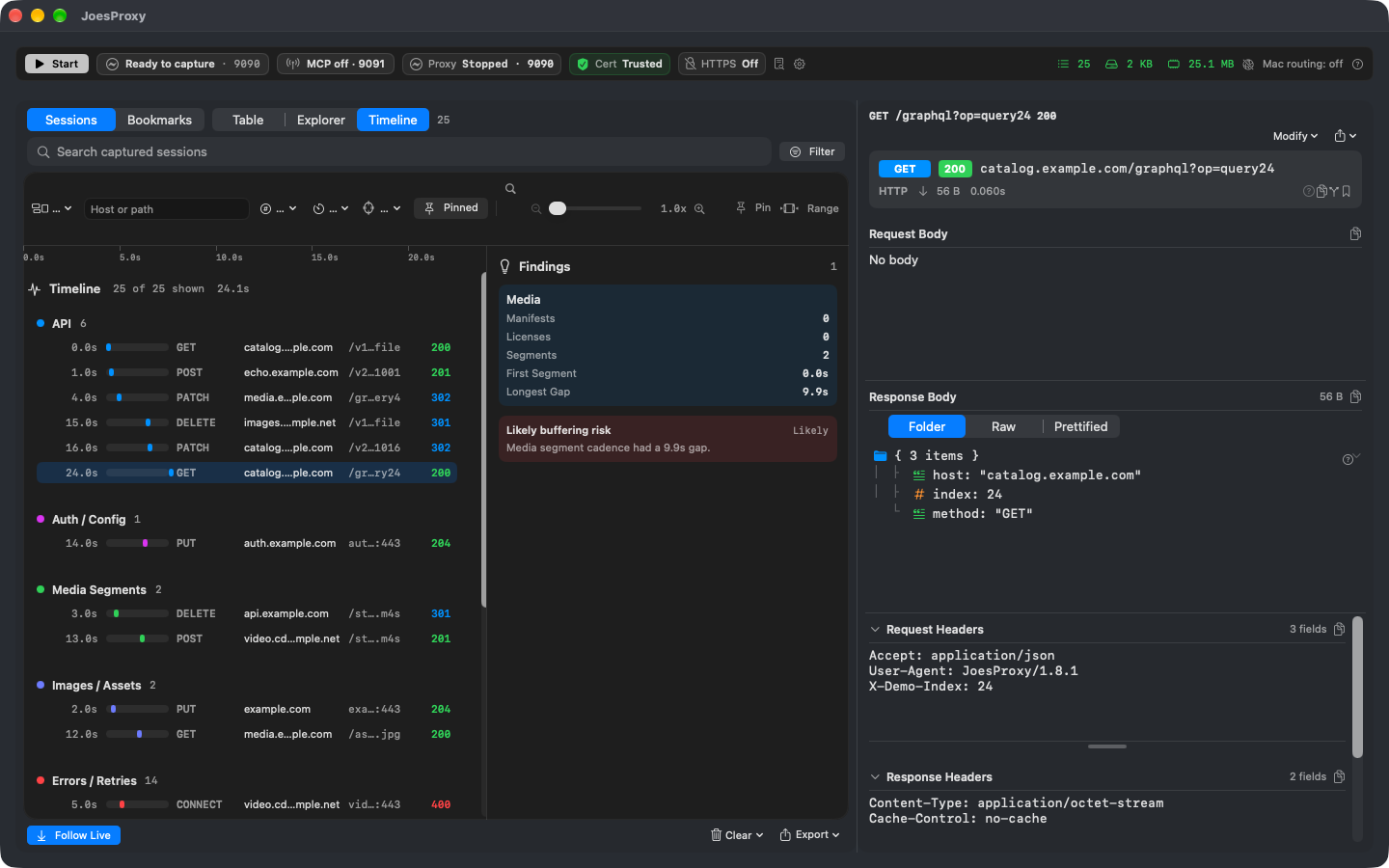
A catalog spinner that stays up for five seconds can have quite different causes. Did the artwork request start late, spend time in transit, or finish before the UI updated? Use Timeline to ask about order and overlap; use the inspector for the individual request.
Make two comparable observations
- Route your test app. Note the device, screen and action. Do a single catalog refresh without a mock or throttle.
- Filter Table or Explorer to the catalog and artwork hosts. Switch to Timeline, find their lanes, and select the catalog response and first artwork request. Record which came first and where the visible gap lies.
- Repeat the action with just one condition changed. Use the same filters. A blank interval between two requests differs from one request spending that interval in flight.
- Inspect the status, timing and available details of the individual requests. Record when the target actually displayed the image; it may happen after both transfers completed.
Give someone the same view
Use Export Visualization when a chart is more useful than a full recording. Select a Session Timeline for order, a Request Waterfall for phase timing, or Host Health Summary for host-level observations. Review the selected or filtered scope, redaction and any partial-capture warnings in the preview before exporting the PNG. Keep the baseline and comparison labeled.
FAQ: fewer bars than requests
A large capture may limit visible bars while reporting the full filtered count. Narrow the time window or host scope before concluding a request is absent. A gap alone cannot distinguish a server delay from client scheduling or an app cache.
After the test
Remove any network condition used for the comparison. Clear temporary filters when checking for unrelated traffic. Review identifiers in an exported chart before sharing it.